Raspberry Pi 5 · GameCube

Your GameCube, back on a tube.

A Raspberry Pi 5 box that sits between a GameCube and a modern TV and makes the picture look like a CRT: scanlines, a phosphor mask and glow, frame-locked to the console.

Coming soonopen source See it ↓

Raspberry Pi 5 · Geekworm C790 · GameCube with the BitFunx HDMI adapter

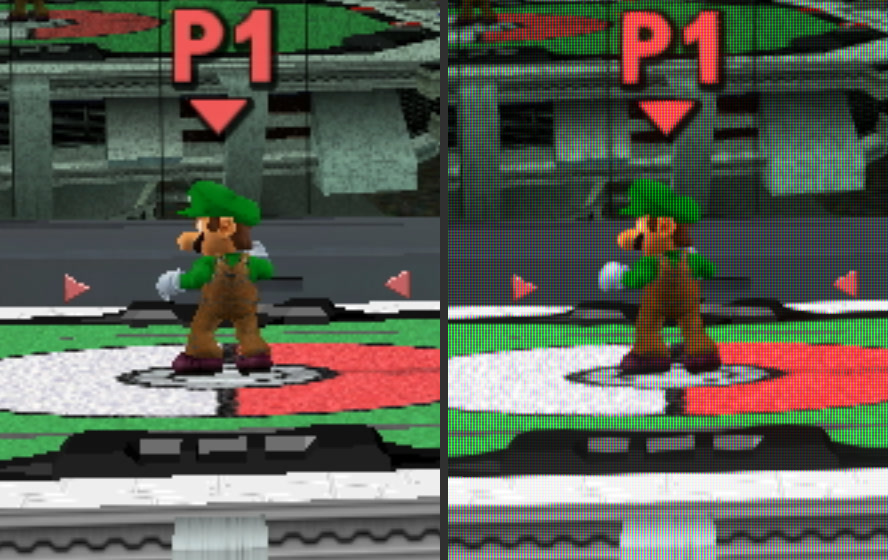
The same moment of Super Smash Bros. Melee: a plain TV upscale on the left, through CRTBOX on the right
~30 msfrom capture to screen
7filters, from Aperture to none
<1 sto a picture after the console's
16:9for widescreen games

A GameCube on a modern TV gets scaled up flat and soft

CRT filters massively improve pixel games. CRTBOX brings back more of the look of a tube, which helps hide the jaggies.

THE LOOK

Looks like a tube

Scanlines that swell on bright lines, an aperture grille, slot or shadow mask, halation glow, colour bleed and optional curvature. As bright as the console's own picture.

NEW

Widescreen games

Set the game to widescreen and turn Widescreen on in the menu. The squeezed picture stretches out to 16:9, the shape it was made for.

THE LAG

Stays fast

The output is frame-locked to the console and each frame is drawn just in time for the TV. About 30 ms from capture to screen.

THE SOUND

Does the sound too

Console audio comes off the capture board and goes out over HDMI with the picture, drift-corrected.

The remote

Runs off your TV remote.

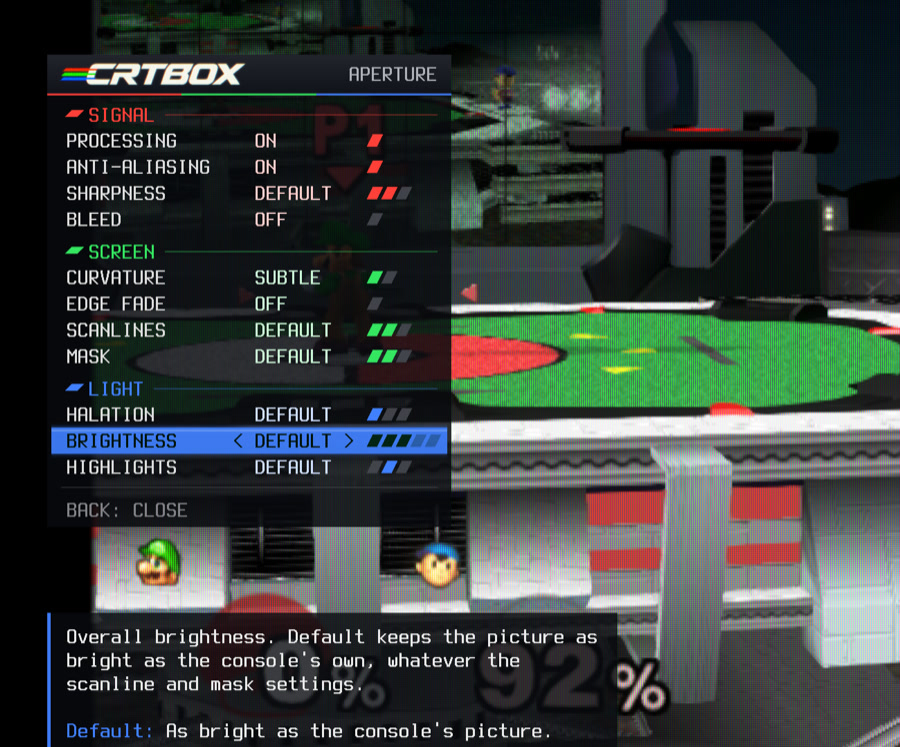
Over HDMI-CEC, the arrow keys on your TV's own remote change filters, open a settings menu with help for every option, and show an info panel with lag, timing, temperatures and power.

  • ← / → change filter, ↓ opens the settings, ↑ the info panel
  • Turn Processing off to see the console's picture untouched, for a quick before and after
  • Widescreen sits under Signal; curvature turns off while it's on, which saves about what the wider picture costs
  • Anti-aliasing, curvature and bleed each cost a little lag, so they start off
The CRTBOX settings menu over Melee: Signal, Screen and Light sections with a help line for the selected option
The box

Behaves like an appliance.

Switch the console on and the TV wakes up and switches to the box. Five minutes after the console goes off, the box goes to sleep.

  • With the box running, the picture is up within a second of the console's
  • The TV signal holds when the GameCube switches between 480i and 480p, so the TV doesn't re-sync
  • The system is read-only, so you can just pull the plug, and your settings still get saved
  • It learns your console's exact refresh rate in the first 10 minutes, so later starts lock on straight away
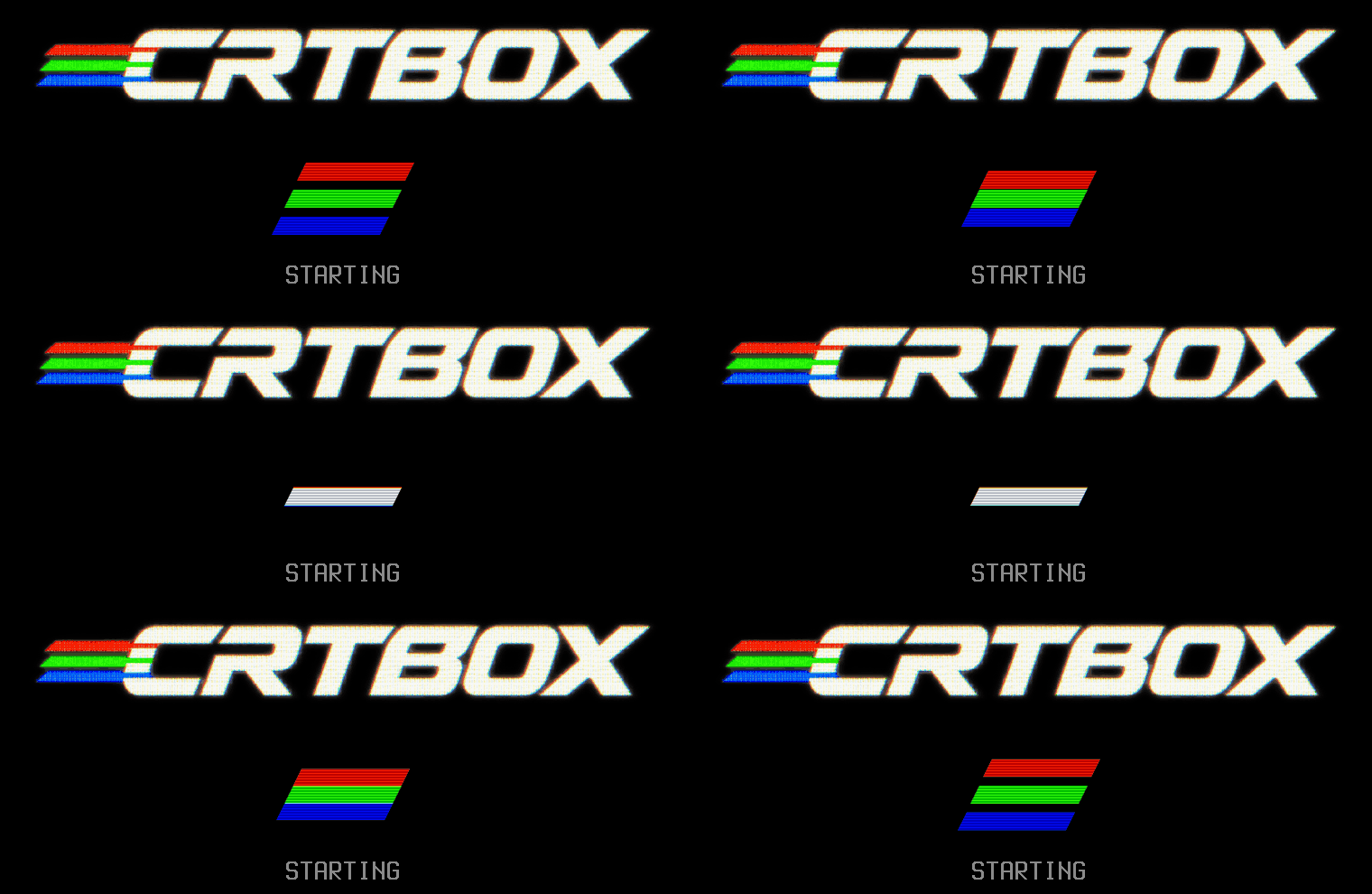
The start-up screen: the CRTBOX logo with red, green and blue beams merging into white

Build one

No soldering. You install Pi OS yourself, then SSH in and run one script.

Flash Pi OS

Raspberry Pi OS Lite (64-bit) on a 16 GB+ microSD card or a USB SSD, with the username crtbox, SSH and Wi-Fi turned on.

Wire it up

The capture board's ribbon, its audio lead, the fan, and the TV on HDMI0. Then boot the Pi with the TV connected.

Run the installer

It takes a few minutes, then reboots into protected mode. Turn on GCVideo's line doubler for 480i, switch the cube on, and play.

What you need

Computer
Raspberry Pi 5 with a fan
Power
Official 27 W USB-C supply
Capture
Geekworm C790 (its kit has the cables)
Console
GameCube with the BitFunx HDMI adapter
TV
Any HDMI TV with CEC
Storage
16 GB+ microSD card, or a USB SSD

Questions

Does it add input lag?

Of course: about 30 ms, roughly two frames, on top of whatever your TV adds. For most games you won't feel it. If you're a competitive smasher, play Melee on a real CRT. Put the TV in its game mode, since its own processing can add more lag than CRTBOX does.

How do widescreen games work?

The GameCube squeezes them into its normal 4:3 picture and leaves the TV to stretch them. Set the game to widescreen, then turn Widescreen on in the menu. It turns itself off whenever the console is off for 10 seconds or more.

Will it work with other consoles?

It was built around a GameCube with the BitFunx HDMI adapter (GCVideo). Other consoles that send 720×480p over HDMI might work, but none have been tested.

Can I just unplug it?

Yes. The system is read-only, so pulling the plug is safe, and your settings still get saved.

Why the fan and the official power supply?

Without the fan the Pi throttles and frames arrive late, and on a phone charger it reports undervoltage.
CRTBOX

The jaggies, hidden the way a tube used to.

Coming soonopen source

Unofficial. CRTBOX isn't affiliated with Nintendo, BitFunx or the GCVideo project. GameCube is a trademark of Nintendo. FXAA is NVIDIA's, by way of libretro, which also supplies the Fake Lottes filter.